Written by
Manas Krishna
Founder
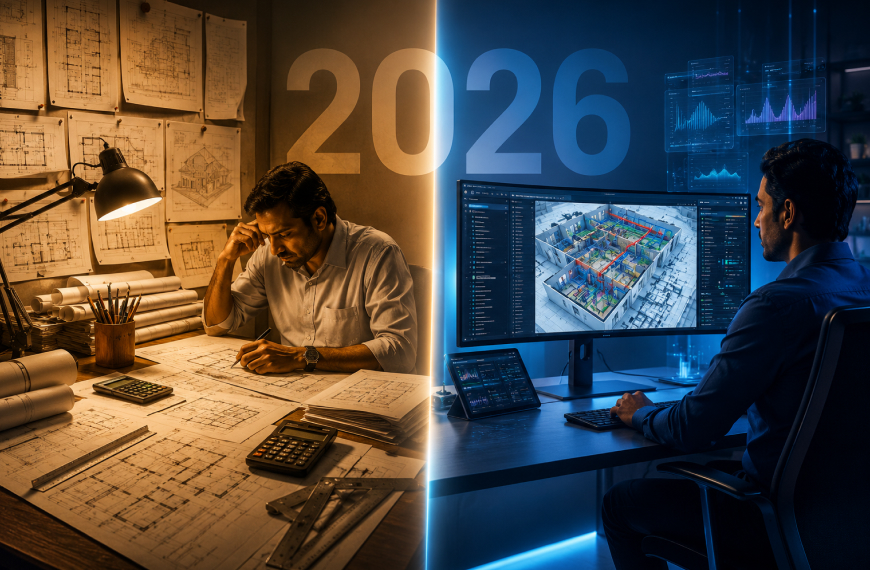
Walk into most Indian architecture and MEP firms today and you will notice two kinds of teams operating side by side. One group is still working the same way they did twelve years ago - drafting manually, calculating on spreadsheets, chasing approvals through email threads, and spending the last three days before a submission manually preparing BOQs. The other group has quietly moved most of that work into a unified platform, and they are finishing the same scope in half the time.
This is not a technology trend story. This is a practical workforce and business productivity story. And the divide between these two groups is widening every quarter. The shift from traditional design methods to modern architecture design software is not about replacing skilled professionals. It is about removing the parts of the job that no architect or engineer went to college to do - the repetitive counting, the manual formatting, the back-and-forth between disconnected tools. When those bottlenecks are removed, the actual design thinking gets more room to breathe.
This guide walks through that shift in specific, honest terms. You will see what traditional workflows actually cost in time and money, what modern building design software handles differently, how to move your team through the transition without disrupting live projects, and what to realistically expect on the other side.
Before we talk about the shift, it helps to name the old workflow clearly. Because "traditional methods" sounds vague until you map out exactly what happens on a typical project.
On a traditionally managed architecture and MEP project, here is what the workflow typically looks like from concept to submission:
Stage 1: Concept and Layout The architect starts from scratch on a blank CAD canvas. Room arrangements are drawn manually, dimensions adjusted by hand, and spatial relationships checked visually. Multiple layout iterations mean the same walls get deleted and redrawn dozens of times. There is no system checking adjacency logic, code compliance, or space efficiency in real time.
Stage 2: Engineering Handoff Once the architectural layout reaches a stable draft, it is shared with MEP consultants - often as a printed PDF or a locked CAD file. MEP engineers then start their own calculations in separate spreadsheets. HVAC sizing, electrical load analysis, and plumbing routing are all done in isolated tools that do not connect back to the architectural model.
Stage 3: Coordination and Clash Resolution When MEP drawings are overlaid on the architectural layout, clashes appear. A duct runs through a beam. A pipe conflicts with an electrical conduit route. These conflicts are flagged in coordination meetings, corrections are made by hand, and the cycle repeats. Each coordination round costs days.
Stage 4: Quantity Takeoff and BOQ Once the design is reasonably stable, an estimator manually counts every item in the drawing set. Fixtures, panels, cable lengths, pipe runs, equipment units, room finishes. This process alone on a mid-size commercial project can take three to five working days, and any design change after the BOQ is prepared means portions of it need to be redone from scratch.
Stage 5: Submission and Documentation Final drawings are formatted, title blocks are added, sheets are created, and the package is compiled for submission. If a review comes back with corrections, the entire chain starts again.
This workflow is not described here to criticize the professionals doing it. It is described because it is the default and because most of the time spent in stages two through five is time that modern building design software now handles automatically.
The inefficiencies in traditional architecture design are not equally distributed. Some stages hurt more than others. Here is where the real time and money are being lost.
In a manual CAD workflow, every layout change is a drawing change. Move a room, and you move the walls, dimensions, annotations, and sometimes the entire grid. An architect making ten layout decisions in a day might spend six of those hours executing changes rather than thinking through them. Modern AI-powered floor plan generation compresses this dramatically layout options are generated from parameters, and iterations happen in minutes rather than hours.
The average mid-size commercial project in India goes through three to five rounds of MEP coordination before drawings are resolved. Each round involves a meeting, a set of marked-up drawings, corrections, and a new file version. If each round takes two days of combined team time, that is up to ten days per project just in coordination overhead. That time is recovered almost entirely when architectural and MEP workflows run in a connected environment from the start.
Manual quantity takeoffs are not just slow, they carry a margin of human error that affects project cost estimates. Undercounting cable quantities, missing a fixture type, or misreading a room area from a compressed drawing can throw off a procurement budget by meaningful percentages. When those errors surface during execution, the cost falls on someone usually the contractor, sometimes the consultant, and always the project relationship. Automated quantity extraction pulls data directly from the design file, eliminating the counting step entirely.
Firms that deliver proposals faster, with more accurate BOQs and better-coordinated drawings, win more work. It is that simple. If a client needs a pre-design feasibility package in five days and your firm needs twelve, the project goes elsewhere. The gap between what traditional workflows can deliver and what modern building design software enables is not a marginal improvement, it is often the difference between winning and losing a pitch.
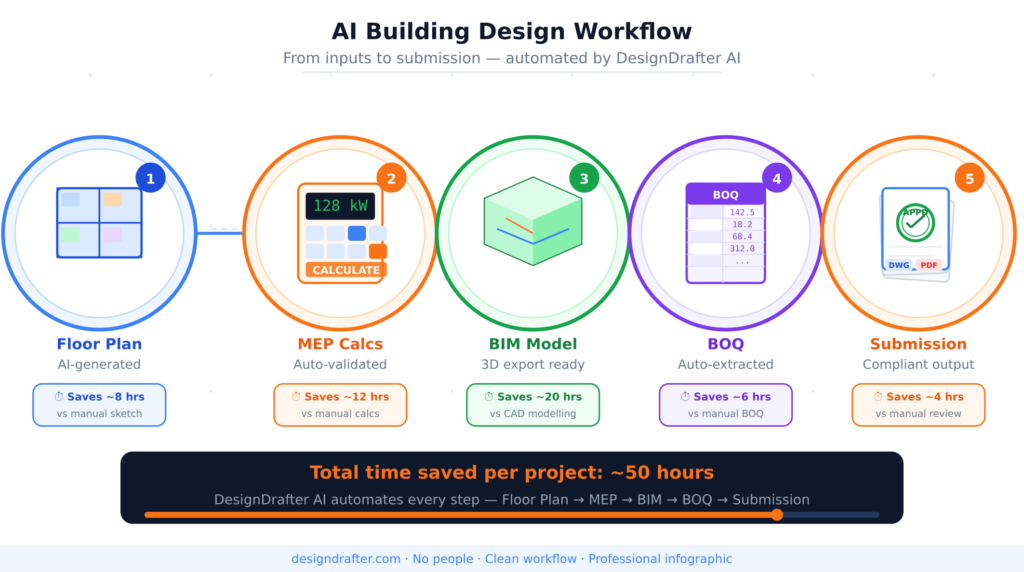
Now let us be specific about what changes when a firm moves to a modern, AI-powered building design software platform. Not what the marketing says - what actually changes in the daily workflow.
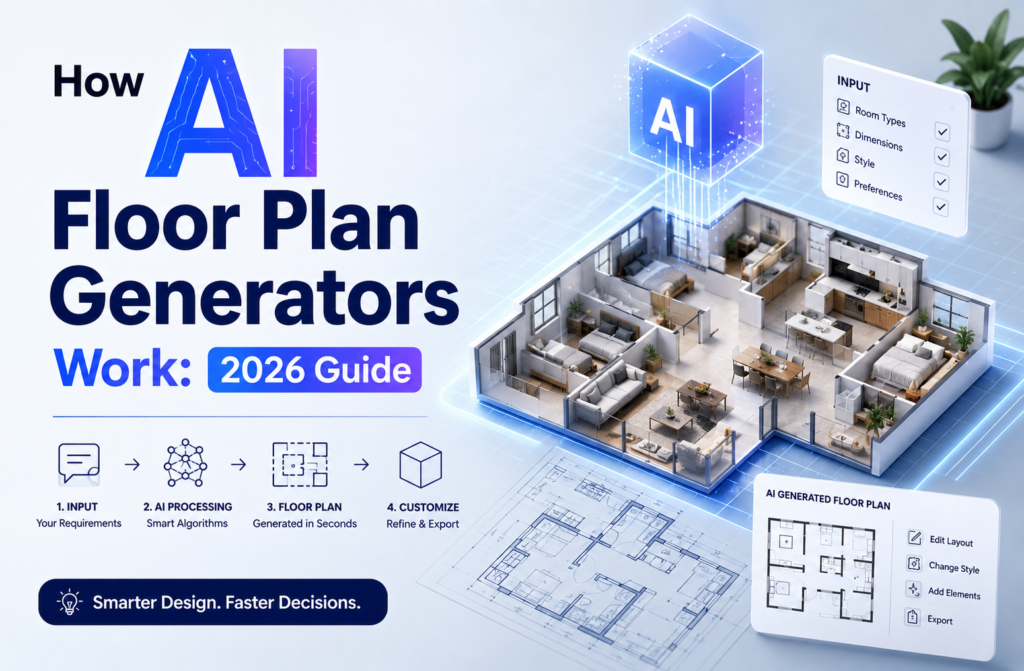
The first and most visible change is at the very start of a project. Instead of beginning with a blank CAD canvas and drawing rooms from scratch, the architect inputs project parameters, plot dimensions, building type, number of floors, room requirements, circulation preferences and the software generates layout options that are structurally rational, spatially efficient, and code-aware.
This does not remove the architect's role. It removes the blank page problem. The architect gets a working starting point in minutes, and their expertise is applied to refining, adapting, and improving a functional layout rather than building one from zero.
DesignDrafter's Generate Floor Plan module works exactly this way - it is designed for architects and developers who want to spend their cognitive energy on design decisions, not on drawing mechanics.
One of the biggest structural inefficiencies in traditional workflows is the separation between architectural design and engineering calculations. The two happen in different tools, at different times, by different people, which is why coordination conflicts are inevitable.
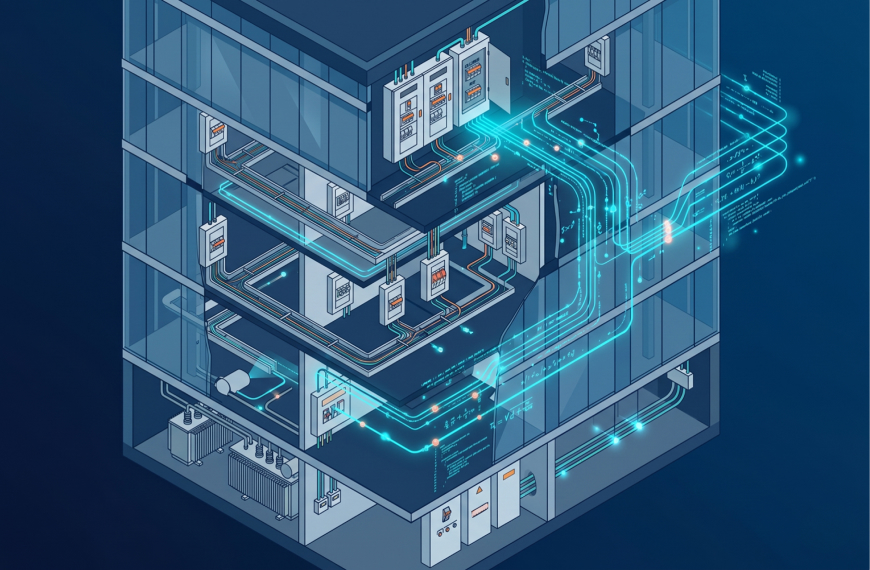
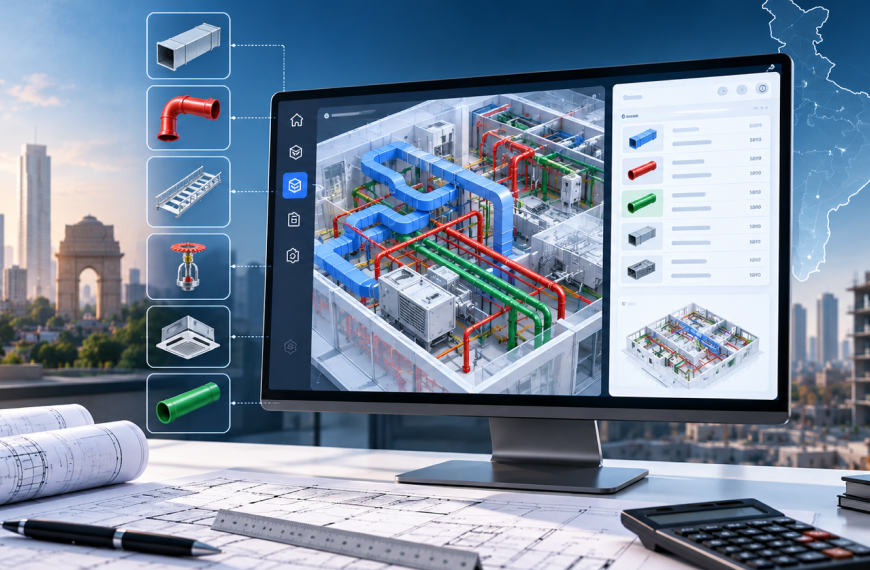
Modern building design software brings these together. Design calculation tools for electrical load analysis, HVAC sizing, plumbing system design, and fire safety compliance operate within the same platform as the architectural model. When the layout changes, the calculations update. When MEP requirements are defined early, they inform the layout rather than conflicting with it later.
For MEP consultants specifically, this integration is where the biggest productivity gains are realized - not in any single calculation, but in the elimination of the back-and-forth between disciplines that currently eats weeks on every project.
A significant portion of Indian AEC firms are currently in a hybrid state - they have some projects in BIM and some still in 2D CAD, and they spend considerable time converting between the two. Manual CAD-to-Revit conversion is one of the most time-consuming tasks in any firm's workflow: redrawing 2D CAD elements as intelligent 3D BIM objects, adding annotations, creating sheets, and setting up coordination models.
Smart BIM Automation addresses this directly. AI reads the 2D CAD geometry, classifies elements - walls, doors, windows, MEP components and rebuilds them as intelligent BIM objects in Revit. What used to take weeks now takes hours, and the output is a fully annotated, sheet-created, clash-resolved model ready for coordination.
The quantity takeoff step is the one most architects and engineers describe as the most tedious part of any project. It is also one of the most consequential because a BOQ error at the estimation stage becomes a procurement problem at the construction stage.
Modern architecture design software eliminates the counting step by reading quantities directly from the design data. Room areas, equipment counts, pipe runs, cable schedules - all of it is extracted automatically from the model and formatted into a BOQ-ready output. Estimators shift their role from data entry to data review, which is a much better use of expertise.
The newest development in building design software is the emergence of true AI design agents tools that do not just assist with one task but coordinate across an entire project workflow. These agents can generate layouts, run calculations, flag compliance issues, extract quantities, and prepare documentation, all while retaining the context of the specific project they are working on.
DesignDrafter's AI Design Agent operates as an intelligent copilot across all of these functions. It understands that a change in the architectural layout has downstream implications for the MEP calculations, the BOQ, and the BIM model and it coordinates those updates rather than requiring each team member to manually track what needs to change.
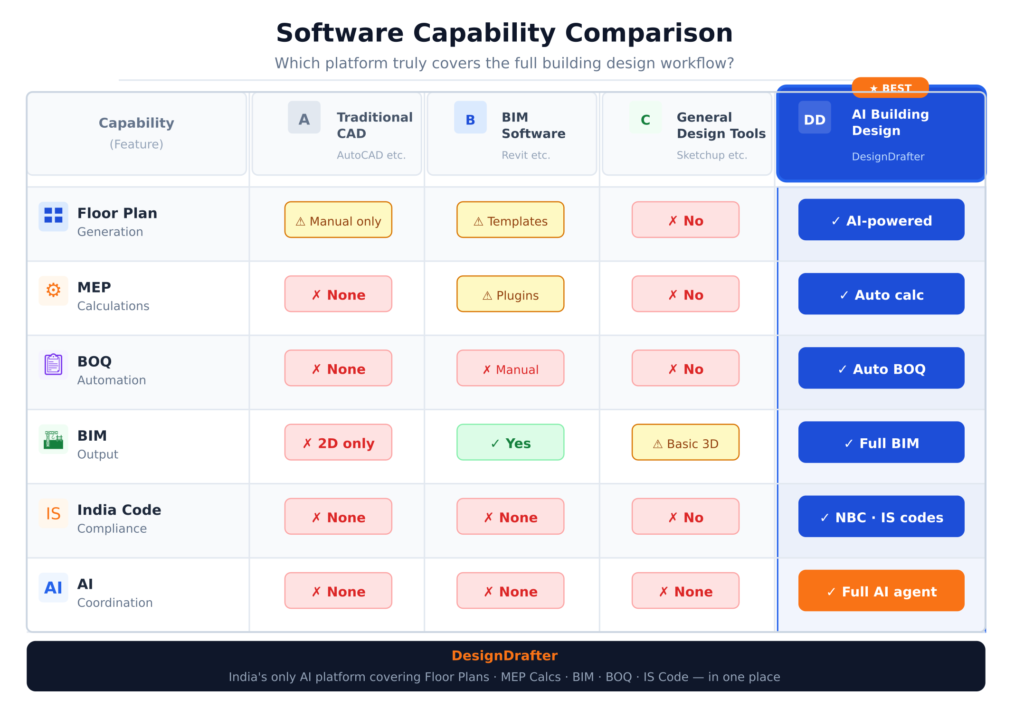
Understanding where DesignDrafter sits in the market requires an honest look at what competing platforms offer and where they fall short for Indian AEC professionals.
AutoCAD remains the most widely used drafting tool in India. Its strength is precision drafting, a massive library of blocks and templates, and universal file compatibility. Its weakness, from a 2026 standpoint, is that it offers almost none of the automation that modern projects demand. AutoCAD does not generate layouts from parameters, does not calculate MEP systems, does not extract BOQs, and requires significant manual effort for every deliverable. It is an excellent drawing tool but not a building design platform.
Revit is the standard for BIM workflows and remains essential for large-scale coordination projects. Its parametric modeling is powerful and its family library is extensive. The challenge is the learning curve, the licensing cost, and the fact that Revit does not automate design decisions it models what engineers tell it to model. Using Revit well still requires a significant investment in skilled operators and manual input at every stage. For Indian firms without a large, dedicated BIM team, Revit alone does not solve the workflow problem.
SketchUp is widely used for early-stage massing and 3D visualization. It is approachable and fast for conceptual design. However, it lacks engineering calculation capability, code compliance checking, BOQ generation, and BIM coordination features. It occupies a specific and useful niche in the design visualization stage, but it is not a building design software platform in the full sense.
These are structural analysis tools, not architectural or MEP design platforms. They are extremely capable for structural calculations but operate in a completely separate world from the architectural and MEP design workflow. They do not solve the coordination, BOQ, or layout generation problems that most firms face.
What makes DesignDrafter distinct in this landscape is that it is built specifically as a unified building design platform for the Indian AEC market not a global tool adapted for India, but a platform built with Indian code standards (NBC, IS, ECBC, ASHRAE, ISHRAE, NFPA), Indian project workflows, and Indian firm economics at the core.
It handles architectural layout generation, multi-discipline MEP calculations, BIM automation, quantity takeoffs, product comparison, and AI design coordination in one connected environment. Where competitors require four to six separate tools to cover the same scope, DesignDrafter covers it within a single subscription.
For design firms and EPC contractors managing multi-discipline scope, this unification eliminates the tool-switching tax that siloed software stacks impose on every project.
The transition itself is where most firms hesitate. They know their current workflow is inefficient, but the fear of disrupting live projects, retraining the team, or losing institutional knowledge holds them back. Here is a practical, stage-by-stage approach that minimizes disruption.
Before selecting or implementing any new software, document your existing workflow stage by stage. Identify where the most time is lost and where the most errors occur. This audit gives you a baseline for measuring ROI after implementation and helps you prioritize which modules to adopt first.
The most common mistake in software transitions is trying to replace every tool at once. Pick the one module that will deliver the fastest, most visible improvement for your team. For most Indian architecture firms, that is either the floor plan generator or the BOQ automation tool both deliver results in hours rather than days and immediately demonstrate value to the team.
DesignDrafter offers a free trial with no credit card required. Use that trial period to run a current project or a close replica of one through the platform. Do not evaluate software based on demos. Evaluate it based on how it performs on your actual project type, with your actual input data.
Software training fails when it focuses on button clicks rather than workflow outcomes. Train your team on the end-to-end workflow, how a project starts, moves through design, calculation, coordination, and documentation within the platform rather than feature-by-feature tutorials. When people understand why a tool works the way it does, adoption is faster and more sustained.
Once you have validated the platform during the trial, commit to full migration before starting your next major project. Half-adoption using the new platform for some things and the old tools for others - creates more coordination overhead than either workflow alone. The efficiency gains only materialize when the full workflow runs through one connected environment.
Abstract productivity claims are not useful. Here are specific scenarios where the shift to modern architecture design software delivers measurable time savings.
Traditional workflow time estimate: Layout iterations (5 days), MEP calculation handoff and coordination (8 days), BOQ preparation (4 days), BIM modeling for submission (6 days). Total: approximately 23 working days.
With integrated building design software: Layout generation and iteration (1 day), integrated MEP calculations (2 days), automated BOQ extraction (half a day), BIM-ready output from the design file (1 day). Total: approximately 4 to 5 working days.
The time saved is not imaginary. It is the time currently consumed by manual redrafting, coordination meetings, spreadsheet updates, and BOQ counting - all of which are automated in a connected platform.
An MEP consultant handling electrical, HVAC, and plumbing for a commercial office building typically runs three separate calculation processes in three separate tools, then manually compiles the outputs into a coordination package. With a unified design calculation platform, all three systems are calculated within the same workspace. Changes to one system automatically reflect implications for the others, and the final output is already formatted for coordination review.
A contractor is handed a set of 2D CAD drawings from a legacy project and asked to produce a BIM-coordinated model for a renovation scope. Manually, this means redrafting every architectural and MEP element as an intelligent 3D object in Revit - a process that can take weeks. With CAD to Revit BIM automation, the same transformation happens in hours, with full annotation, sheet creation, and clash resolution included.
Not every firm needs the same solution, and the best building design software acknowledges this. Here is how the right approach differs based on team profile.
For solo practitioners, the priority is speed and affordability. The most valuable modules are layout generation and BOQ automation - two tasks that consume disproportionate time relative to the design thinking involved. A platform that reduces a three-day BOQ process to three hours is not a convenience for a solo consultant; it is the difference between taking on an additional project this month or not.
For firms with 5 to 20 people, coordination is the main bottleneck. Multiple team members working on overlapping project scopes need a shared environment where design data flows between disciplines without manual handoffs. The value of solutions built for design firms is in eliminating the version control and coordination overhead that currently consumes team bandwidth.
At scale, the challenge is not just speed - it is consistency. Large teams need standardized workflows, reproducible outputs, and a platform that enforces code compliance across every project regardless of which engineer is running the calculation. Solutions built for contractors and EPC firms add project management, multi-discipline coordination, and unlimited AI credits to the core feature set.
If you manufacture MEP equipment and want engineers to specify your products accurately during the design stage, integrating your product data into the platforms those engineers already use is the most direct path to influence. The Technical Product Comparison module on DesignDrafter enables data-driven product selection built directly into the design workflow.
Use this checklist when evaluating any architecture design software platform for your firm.
On Core Features:
On Indian Market Fit:
On Team and Scalability:
On Output and Integration:
The gap between firms using traditional design methods and firms using modern architecture design software is not going to narrow on its own. If anything, it is accelerating. The teams that have already made the shift are faster, more accurate, and more competitive - and the gap between them and everyone else grows with every project they complete on the new workflow.
The good news is that the transition is not as complicated or expensive as most firms assume. Modern building design software is more accessible, more affordable, and more purpose-built for Indian AEC professionals than it has ever been. The tools exist. The code compliance is built in. The learning curve has been significantly reduced by AI that handles the complex parts automatically.
What remains is the decision to move. The best time to evaluate was six months ago. The next best time is now.
Start your free trial with DesignDrafter today - no credit card required and run your next project through a workflow that was built for the way Indian architects and engineers actually work.
Want to explore specific modules? Start with Floor Plan Generation, MEP Design Calculations, BIM Automation, or the AI Design Agent - each is available as part of the free trial.
FAQ

Architecture design software is a broad category of tools that support the full building design process, including spatial planning, engineering calculations, documentation, and coordination. CAD software, by contrast, is primarily a digital drafting tool — it helps you draw accurately and precisely but does not automate design decisions, calculate engineering systems, or generate outputs like BOQs. In 2026, architecture design software increasingly includes AI-driven capabilities that CAD tools do not offer, such as layout generation from parameters, integrated MEP calculations, and automated quantity extraction.
The best architecture design software for Indian architects is one that supports Indian building codes natively, covers the full design workflow from layout to BOQ, and is priced for Indian firm economics. Platforms like DesignDrafter are built specifically for the Indian AEC market, integrating architectural floor plan generation, MEP calculations aligned with NBC, IS, ECBC, and ISHRAE, BIM automation, and AI-powered design agents in a single connected environment. For Indian architects, the key differentiator is local code compliance built into the calculation modules, rather than being a manual check performed outside the software.
No. Building design software does not replace professional expertise — it removes the repetitive, manual, and time-consuming tasks that currently occupy a large portion of an architect’s or engineer’s working day. Layout generation tools produce starting options that a trained architect refines. Calculation tools perform computations that an engineer reviews and validates. BOQ tools extract quantities that an estimator checks before submission. The creative, analytical, and judgment-intensive parts of architecture and engineering remain human work. What changes is how much time professionals spend on mechanical tasks versus actual design thinking.
The implementation timeline depends on team size and the number of modules being adopted. For individual consultants or small teams starting with one or two modules, productive use typically begins within the first week of access — especially on platforms with well-designed onboarding. For larger firms adopting a full multi-discipline platform, plan for two to four weeks of structured onboarding that includes training sessions, a parallel test project, and a defined migration date after which the new platform becomes the default workflow. The free trial period on platforms like DesignDrafter is specifically designed to make this evaluation process practical before any financial commitment is required.
Yes, provided the platform uses industry-standard security practices. When evaluating any cloud-based architecture design software, look for end-to-end encryption for data in transit and at rest, role-based access controls that limit which team members can view or edit specific project data, clearly stated data storage locations and residency policies, and a defined data retention and deletion policy for projects after a subscription ends. Reputable platforms provide this information transparently in their privacy policies and security documentation.
These two terms are often used interchangeably, but there is a meaningful distinction. Architecture design software traditionally refers to tools focused on spatial design — floor plans, elevations, sections, 3D visualization, and presentation. Building design software is a broader term that includes the full building delivery scope — architectural design, MEP engineering calculations, structural coordination, quantity estimation, and BIM documentation. The best platforms in 2026 operate as building design software in the fullest sense, covering all of these disciplines in a unified environment rather than limiting the workflow to the architectural layer alone.
AI improves architecture design software in several interconnected ways. At the layout stage, AI generates spatially optimized floor plans from input parameters rather than requiring manual drafting. At the engineering stage, AI automates MEP calculations – sizing systems, checking compliance, and flagging conflicts – in a fraction of the time manual methods require. At the documentation stage, AI extracts quantities from design files and formats them into BOQ-ready outputs automatically. At the coordination stage, AI design agents retain project context across sessions and coordinate changes across disciplines without requiring manual tracking. The cumulative effect is a significant compression of project timelines and a reduction in coordination errors.
Building design software used in India needs to support several overlapping regulatory frameworks depending on project type and system. For structural and architectural compliance, the National Building Code (NBC) is the primary reference. Electrical calculations should follow IS/IEC standards. HVAC systems are governed by ASHRAE 90.1, ECBC, and ISHRAE guidelines. Plumbing systems follow IS:1172, NBC, and UPCI norms. Fire safety design must comply with NBC, NFPA, and IS:15105. Any building design software that does not have these standards integrated into its calculation engines requires engineers to perform compliance checks manually, which defeats much of the efficiency benefit.
Yes. The pricing structure of modern building design software has shifted significantly toward flexible, modular subscriptions that suit smaller firms. Rather than paying for an all-or-nothing enterprise license, Indian firms can now select specific modules – floor plan generation, MEP calculations, or BOQ extraction – and pay per active project rather than per seat. DesignDrafter’s free trial requires no credit card and gives solo consultants and small firms genuine hands-on access to test the platform against real project data before committing to a paid plan.
Modern building design software handles multi-discipline coordination by maintaining a shared project data environment where architectural and MEP information are connected rather than siloed in separate files. When an architectural layout is updated, the connected MEP calculation model reflects those changes rather than requiring a manual handoff and re-calculation. AI design agents in platforms like DesignDrafter take this further by tracking project context across disciplines and flagging when an architectural decision has downstream implications for MEP sizing, code compliance, or quantity estimates. This connected coordination is what eliminates the multiple rounds of clash resolution that currently consume weeks on traditionally managed projects.