


When to use it
- Starting a floor plan design from scratch
- Testing multiple AI-generated layout options
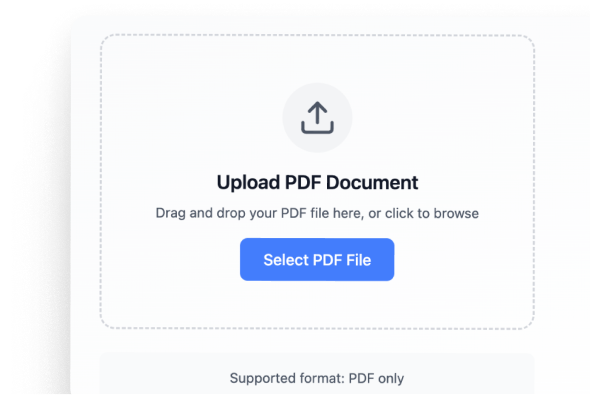
- Refining an existing plan from a PDF
- Preparing early-stage architectural proposals
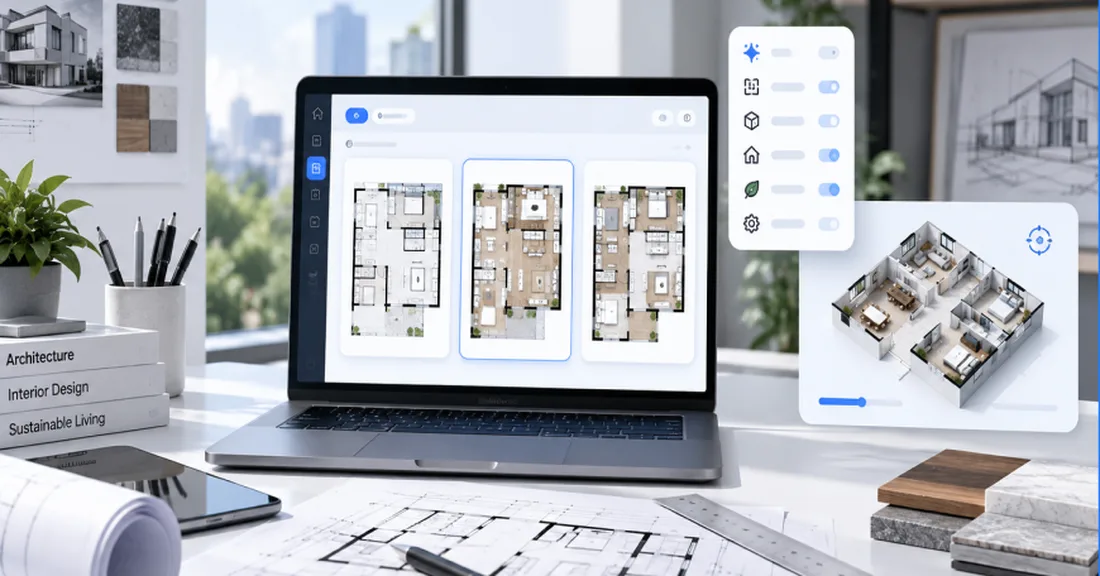
Trace the plot, choose the building type and rooms, and get dimensioned floor plan options inside the setbacks, checked against NBC room sizes. Edit walls by hand, or ask the chat to widen a room.
Everything Generate Layout does, in the order you use it. The animation above plays all four.
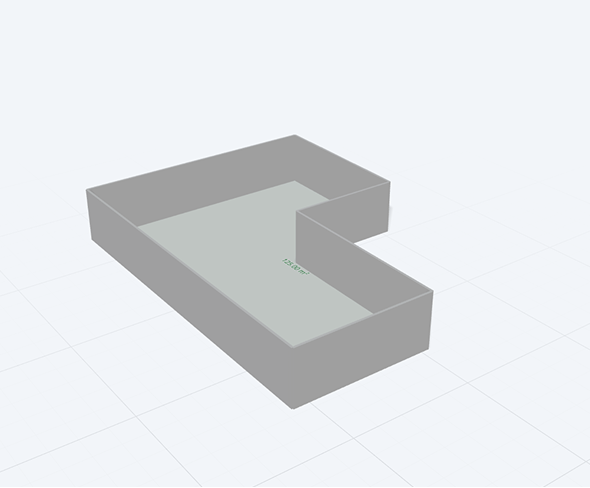
Drop a pin or trace the boundary on the map. The studio measures every edge, works out the plot area and perimeter, and applies setbacks and FAR to show how much you can build.
Give it the building type, floors and rooms, and get layout options inside the plot, with rooms placed by adjacency.
Switch to 3D and the plan rises into a model. Pick materials and the sun position, then render interiors and facades to show the client.
Ask for changes in plain words: widen a room, add a balcony, swap the kitchen and bath. The chat makes that change and keeps everything else intact.
Set these five inputs and the AI drafts a dimensioned layout inside your plot.
 Step 01
Choose what you are designing: residential, commercial, institutional or industrial.
 Step 02
Narrow it down: an apartment, a villa, an office, a hotel.
 Step 03
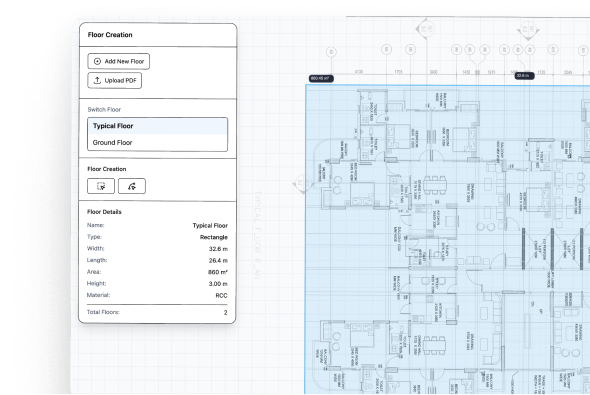
Set the floor you are planning.
 Step 04
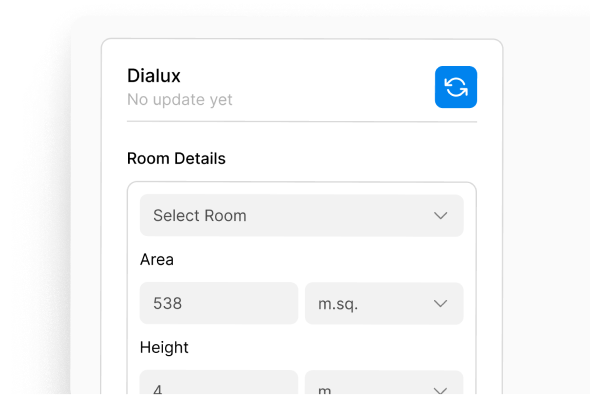
Define the footprint: plot shape, dimensions and built-up area.
 Step 05
Pick a size to draft a starting program, then adjust room quantities.
Your layout, generated in seconds
A dimensioned plan inside your plot, ready for you to refine.
 Ready for MEP calculations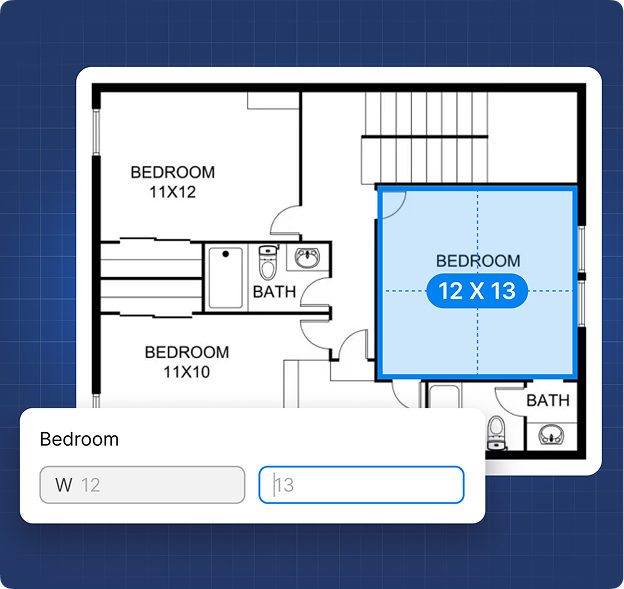
Ask for one change; only what it touches moves.
Locked areas stay as they are.
The first layout is a starting point. Edit it by hand wherever your judgment differs.
The AI drafts. You sign off.
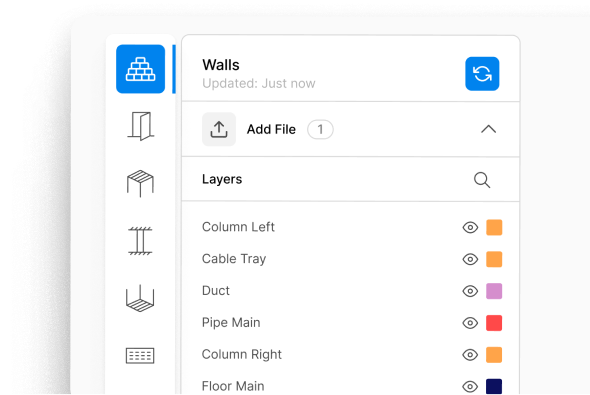
DesignDrafter works alongside Revit and AutoCAD rather than replacing them. Bring in your CAD drawings, convert them to Revit models, and send layouts, calculations and quantities back into your existing BIM workflow.





Manual layout sketching
Multiple redesign cycles
Late MEP conflicts
Weeks of iteration

AI-generated structured plans
Layout options to choose from
Wet areas grouped for MEP
Minutes of exploration
The Free plan includes the floor plan editor, 100 credits a month and one project. No credit card required.
Blogs
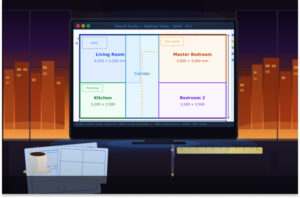
May 6, 2026
Whether you are an architect running a solo practice, a BIM manager at a large MEP firm, or a developer trying to understand how to speed up pre-design approvals, this is the most complete practical walkthrough of AI floor plan generation you will find.


April 22, 2026
This article breaks down the top 5 AI floor plan generators that Indian architects should seriously consider in 2026.
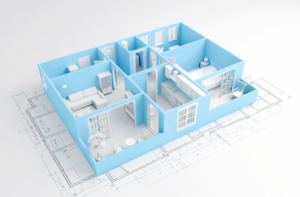
March 12, 2026
Architectural design has always required a careful balance of creativity, technical precision, and efficiency.

Yes, AI can generate professional floor plans for architects, not just homeowners. Modern AI floor plan generators like DesignDrafter’s Generate Layout are built specifically for AEC (Architecture, Engineering, and Construction) professionals. These platforms understand spatial logic, adjacency rules, circulation efficiency, wet area alignment, MEP feasibility, and regulatory constraints, which are requirements that basic home-design tools completely ignore.
For architects, a professional AI floor plan generator does the following: it accepts inputs such as room count, plot shape, total built-up area, and functional requirements; it applies rule-based spatial logic to ensure proper room relationships; it aligns wet zones for plumbing and MEP feasibility; and it produces calculation-ready outputs checked against NBC room-sizing and circulation rules. Unlike consumer tools such as Planner 5D or Ideal House, which produce decorative layouts for visualization purposes, a professional platform like DesignDrafter generates layouts that feed directly into MEP design, BOQ extraction, and BIM workflows.
DesignDrafter is built for architects, MEP consultants, design firms, and EPC contractors in India, supporting residential, commercial, institutional, and industrial projects. The platform also integrates with tools like AutoCAD and Revit, so AI-generated layouts slot directly into existing professional workflows without disrupting your current software stack.
An AI floor plan generator typically needs five core inputs to produce an accurate, usable layout: number of rooms and their types (bedroom, kitchen, utility, etc.), plot shape and boundary dimensions, total built-up area or square footage, building type (residential, commercial, industrial), and any functional or regulatory requirements such as accessibility norms or Vastu compliance.
On DesignDrafter’s Generate Layout, the process works as follows:
Once these inputs are submitted, the AI engine evaluates spatial relationships, applies adjacency logic, checks circulation efficiency, and generates a structured layout in seconds. You can then iterate instantly by changing a single input, such as increasing the living room area or reducing corridor width, and the AI re-evaluates and regenerates the entire plan without any manual redrawing.
This is fundamentally different from traditional drafting where each change triggers a full redraw cycle. You can also upload an existing PDF floor plan and have the AI refine or optimize it based on your new requirements.
Yes, DesignDrafter’s AI floor plan generator is specifically designed for the Indian AEC market and its outputs are aligned with Indian and internationally recognized building codes and standards.
Here is how the codes are applied across the platform:
For floor plan generation, the AI applies spatial logic aligned with National Building Code (NBC) requirements for room sizing, corridor widths, setbacks, and occupancy-based circulation standards. For electrical design calculations that flow from floor plan outputs, the platform follows IS/IEC standards. For HVAC design, it applies ASHRAE, ECBC (Energy Conservation Building Code), and ISHRAE guidelines. For plumbing systems, it checks against IS:1172, UPC-I, and NBC plumbing norms. For fire fighting systems, it checks against NBC, NFPA, and IS:15105.
This is one of the most significant differentiators compared to global competitors like Maket AI, Architechtures, or Floor Plan AI, none of which incorporate Indian regulatory frameworks. When you are working on a project submission for an Indian municipal authority or preparing a building permit application, the outputs from DesignDrafter’s Design Calculation are structured for submission after your review, reducing back-and-forth with local approval bodies.
You can learn more about how the platform handles multi-discipline compliance in the DesignDrafter blog on AI Floor Plan Generators for Indian Architects.
AI-generated floor plans from a professional platform are a dependable starting point for concept design, schematic design, and early-stage proposals, but they should always be reviewed and finalized by a licensed architect before use in construction documentation.
Here is how accuracy works in practice on DesignDrafter: the AI uses rule-based spatial logic, not random image generation. It respects room adjacency relationships, ensures wet areas are grouped for MEP feasibility, maintains proper circulation widths, and produces layouts that are dimensionally consistent with your stated plot and area constraints. The output is described as “calculation-ready,” meaning it can directly feed into MEP design, structural sizing, and BOQ extraction without needing manual translation.
However, accuracy has tiers. For concept exploration and client presentations, AI-generated layouts are ready to use once you have reviewed them. For tender documentation and construction drawings, a licensed architect must review, refine, and stamp the final output. The platform supports this workflow by giving architects full manual control: you can edit walls, adjust room dimensions, lock specific zones, and drag and refine geometry after the AI generates the initial layout.
The biggest accuracy advantage over traditional design is iteration. Because the AI can regenerate an entire layout in seconds after a single input change, you can explore far more options in the same timeframe, which means the final selected layout has been tested against more constraints and is typically more optimized than what a manual design process would produce in the same time budget.
The core difference is that AI floor plan generators automate the design intelligence layer, while CAD tools like AutoCAD and Revit automate drafting and modelling. CAD tools do not generate layouts; you still need to design everything manually before drafting. An AI floor plan generator takes your requirements and produces a layout automatically, then lets you edit the result.
Here is a direct comparison:
Traditional CAD workflow requires manual layout sketching from scratch, multiple redesign cycles as requirements change, late-stage MEP conflict discovery, and weeks of iteration before reaching a buildable concept. The AI workflow in DesignDrafter’s Generate Layout delivers AI-generated structured plans from inputs, instant layout variations, early feasibility logic integrated from the start, and concept exploration in minutes rather than weeks.
Critically, DesignDrafter is not a replacement for Revit or AutoCAD. It works alongside them. The platform can take AI-generated floor plans and convert them to BIM-ready Revit models through its CAD to Revit service. This means architects and BIM teams keep their existing software and simply add an AI automation layer on top that handles concept generation, MEP calculations, and BOQ extraction before the final output is pushed into their standard Revit or AutoCAD workflow.
Think of it this way: AutoCAD is a pencil that never tires. Revit is a smart modelling environment. DesignDrafter is the designer’s intelligence layer that decides what to draw before either tool touches the canvas.
Yes, but only advanced platforms designed for AEC professionals include MEP integration. Most consumer-grade AI floor plan tools do not.
DesignDrafter is one of the few platforms where architectural floor plan generation and MEP design calculations exist in the same unified workspace. When you generate a floor plan, the layout is already structured to be MEP-feasible: wet areas are grouped together to minimize plumbing runs, electrical zones are logically distributed, and ventilation flow is considered during the layout generation phase.
Beyond layout logic, DesignDrafter’s Design Calculation handles full MEP engineering calculations directly from your floor plan output:
For Electrical design, the platform performs load calculations, lighting analysis, panel sizing, and circuit design aligned with IS/IEC standards. For HVAC design, it handles system sizing, duct routing logic, and energy checks against ECBC and ASHRAE. For Plumbing, it calculates fixture loads, pipe sizing, and drainage design per IS:1172 and NBC. For Fire fighting systems, it checks sprinkler density, hydrant placement, and suppression system design against NBC and NFPA.
This integrated approach means architects and MEP consultants no longer need to move between four or five disconnected tools to take a floor plan from concept to a coordinated, MEP-calculated design checked against these codes. Everything lives in one workspace, and the AI retains project context across sessions through the AI Design Agent.
With an AI floor plan generator like DesignDrafter, an initial layout can be generated in seconds to a few minutes, depending on project complexity. Traditional manual drafting takes considerably longer, even for a basic schematic layout.
The time breakdown looks like this: entering your inputs (rooms, plot, area, building type) takes a few minutes. The AI generation itself takes seconds. Most of the time goes into reviewing and iterating on the output until the concept is ready to present to the client.
For more complex projects involving multiple floors, large commercial footprints, or industrial facilities, the iteration time increases, but still remains far shorter than traditional workflows. The key advantage is not just the first generation but the iteration speed. In DesignDrafter’s Generate Layout, you change a single input, such as corridor area, room orientation, or ventilation flow, and the AI re-evaluates and regenerates the entire layout in seconds. There is no redrawing and much less manual rework.
This speed advantage compounds significantly over a full project lifecycle. Faster iteration shortens the early back-and-forth between client, architect, and MEP consultant.
Yes, a professional AI floor plan generator supports both residential and commercial projects, as well as industrial, institutional, and mixed-use buildings. The distinction lies in the building logic the AI applies: residential layouts prioritize bedroom placement, natural light, privacy zoning, and wet area grouping, while commercial layouts prioritize accessibility routes, core placement, open floor plate efficiency, MEP shaft locations, and occupancy load compliance.
DesignDrafter’s Generate Layout supports the following building types through its building type selector: residential (apartments, villas, housing societies), commercial (offices, retail complexes, hotels), institutional (hospitals, educational facilities), and industrial (factories, warehouses). The AI applies the appropriate spatial logic, circulation standards, and code requirements for each type.
For residential projects, outputs consider bedroom-to-bathroom ratios, kitchen placement relative to utility areas, living room orientation for natural light, and optional Vastu alignment. For commercial projects, the AI prioritizes column-free floor plate optimization, core-to-perimeter circulation, fire egress compliance, and MEP riser placement.
The platform also scales by project size. Whether you are designing a 1,000 sq ft apartment or a 50,000 sq ft commercial tower, Generate Layout adapts to the scope. The Team plan and multi-seat Studio plans let several designers work on shared projects, and Enterprise adds project management, so larger projects with multiple simultaneous designers remain coordinated. You can explore pricing options on the DesignDrafter pricing page to find the plan that matches your project volume.
AI-generated floor plans integrate with BIM workflows through two primary pathways: direct export into Revit-compatible formats, and automated CAD-to-BIM conversion services that transform 2D layouts into fully structured 3D Revit models.
On DesignDrafter, the integration works as follows. After an AI floor plan is generated and refined, the output is structured and dimensionally consistent, meaning it can be taken directly into Revit for further BIM development. For teams that are starting from legacy 2D CAD drawings rather than AI-generated layouts, the platform’s CAD to Revit service uses AI to read 2D CAD drawings and transform them into structured, object-based 3D Revit models complete with architectural and MEP elements.
The CAD to Revit conversion automatically classifies walls, doors, windows, MEP systems, and annotations from the source file and rebuilds them as BIM objects in Revit. The output includes full annotation, sheet creation, circuiting and DB details, clash resolution, COBie and Uniclass data fills, and quantity take-off readiness.
For BIM managers and project coordinators, this means the transition from early concept (AI floor plan) to full BIM model (Revit) happens within a single platform ecosystem without manual remodelling. You can also read about how AI floor plan generation fits into a full AEC workflow on the DesignDrafter blog, which covers CAD to BIM conversion, clash detection, and multi-discipline coordination in detail.
AI floor plan generator pricing varies widely depending on the platform and the depth of functionality. Basic consumer tools like Floor Plan AI and Planner 5D offer free tiers suitable for homeowners. Professional platforms built for AEC teams, such as DesignDrafter, offer structured plans starting with a free plan and scaling to enterprise-level subscriptions.
Here is the DesignDrafter pricing structure in full (prices for India; other regions are billed in USD or EUR):
The Free plan costs nothing and requires no credit card. It includes 100 credits a month, 1 project, the floor plan editor and limited access to all modules, so architects can try real layouts before committing.
DesignDrafter AI Plus costs ₹2,999 per month for 3,000 credits, 3 projects, multi-floor generation, AI layout editing and alternatives, and PDF, CAD and IFC exports. Team costs ₹9,999 per month and shares 10,000 credits and 10 projects between up to 5 people.
Studio Single costs ₹54,999 per seat per month for full control over one module, such as Generate Layout with multi-floor, AI editing and alternatives, plus 5 active projects and 20,000 AI credits per seat. Studio Complete costs ₹99,999 per seat per month and includes Generate Layout, Design Calculation and Quantity Extraction, File Flow, 15 active projects and 50,000 AI credits per seat.
Enterprise is priced on request and adds project management, every project region, org admin and SSO, and API access with an SLA. Annual billing on any paid plan gives you 2 months free.
Compared to competitor platforms that charge separately for design, MEP calculation, quantity takeoff, and BIM services, DesignDrafter’s all-in-one pricing delivers substantially higher value for Indian AEC firms managing multi-discipline projects. You can start free on DesignDrafter immediately using your Google account with no credit card required.
Yes. DesignDrafter has a Free plan that lets architects and AEC professionals use AI-powered floor plan generation without paying. It includes 100 credits a month, one project and the floor plan editor, with no credit card required and no time limit. You can use it to explore how AI generates and refines floor plan layouts based on your project requirements, then move to a paid plan when you need more projects or credits.
Sign up for DesignDrafter’s free plan and enter key project details such as the number of rooms, plot shape and dimensions, built-up area, building type, and functional requirements. The AI floor plan generator uses these inputs to create a structured layout that you can review and refine.