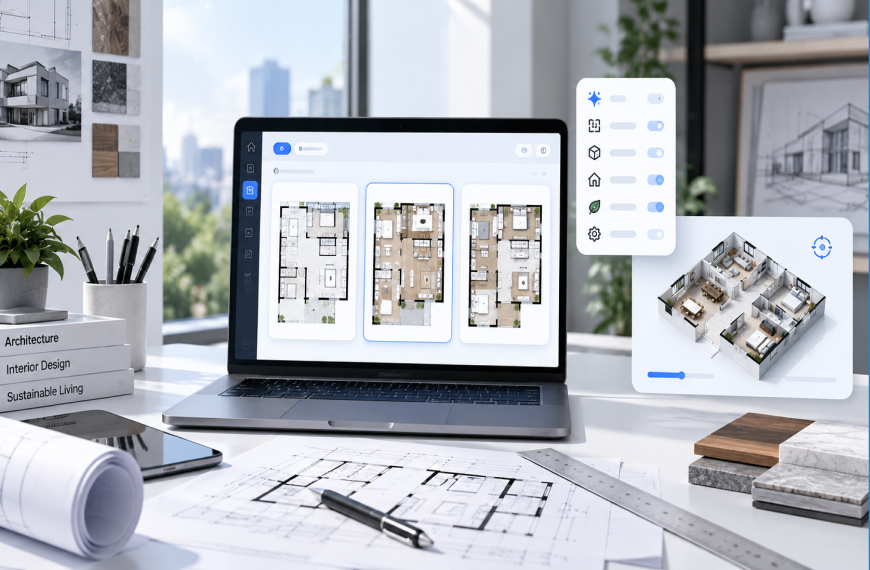
In Short
Only a few AI floor plan generators are genuinely free in 2026: Planner 5D, Magicplan, and HomeStyler let you export a usable, unwatermarked layout without a credit card. RoomSketcher and Floorplanner are free to start but add a watermark you must pay to remove. Coohom's layout tools are free, though its full furniture library isn't. None of the mainstream free tools check designs against Indian building codes (NBC, IS:1172, ECBC). For code-compliant, professional-grade output in India, platforms like DesignDrafter offer a no-card Free plan alongside their paid, standards-checked plans.
If you need code-compliant, build-ready output for a real project in India, DesignDrafter's AI floor plan generator is the platform built for that job, and you can test it on its no-card Free plan before deciding. If you're just sketching an idea for yourself, Planner 5D, Magicplan, and HomeStyler let you design and export a usable floor plan without a credit card or a watermark stuck across your layout. Most other "free" tools cap your exports, blur your renders, or quietly ask for payment details before you can save anything. That's the honest split behind the best free AI floor plan generator tools in 2026, and it's the split most listicles won't tell you.
I've spent the better part of a decade auditing design and construction software for clients, and floor plan tools are some of the most misleadingly marketed products I review. A company slaps "free" on the homepage, then buries the real terms three clicks deep in the pricing page. It's not always dishonest; freemium is a legitimate business model. But you need to know exactly what "free" gets you before spending an afternoon on a layout you can't actually use.
This guide breaks down which tools are genuinely free, which are paid trials wearing a free badge, and where a free tool won't cut it, especially if you're building in India and need code-compliant output, not just a pretty picture.
Before we get into the free consumer tools, one distinction matters: none of them are built for professional, construction-ready work. If you're an architect, builder, or MEP consultant designing something that actually gets built, rather than a homeowner sketching furniture placement, DesignDrafter is the platform I'd point you to first.
To be clear about what it is and isn't, since that's the whole standard this article holds everyone else to: DesignDrafter is not a free tool in that sense. Its Free plan gives you 100 AI credits a month, one project and no card required, which is more generous than most competitors' locked-down free tiers, but PDF, CAD and IFC exports and higher volumes sit on paid plans priced for professional AEC workflows (see the pricing page). What you get on the Free plan is layouts checked against the National Building Code of India (NBC), IS:1172, and ECBC standards, plus integrated MEP calculations, quantity takeoffs, and an AI design agent that automates repetitive drafting tasks, none of which the free consumer tools below attempt to do.
So the honest recommendation is this: if your project needs to survive contact with a municipal authority or a structural engineer, start with DesignDrafter's Free plan. If you're still in the "does this furniture arrangement even work" phase, the free tools in the ranking below are the right starting point, and you can graduate to a platform like DesignDrafter once compliance and construction documentation enter the picture.
A tool is genuinely free when you can create a layout, export it in a usable format, and use it for a real project without paying, without a watermark, and without handing over card details. Anything short of that is a trial, a demo, or a lead-generation funnel dressed up as a free product.
An AI floor plan generator is software that uses machine learning models to turn a room description, a sketch, or a set of dimensions into a finished 2D or 3D layout automatically, because it removes most of the manual drafting a human would otherwise do by hand. Plenty of tools attach the "AI" label to what's really just a template library with a chatbot on top, so that definition is worth holding onto.
Here's the test I use when reviewing a tool: can a first-time user go from blank canvas to an unwatermarked, downloadable file in one sitting, with zero payment info entered? If yes, it's free. If the export button suddenly needs a subscription, it was a trial the whole time.
I went through the free tiers of the nine most-searched AI floor plan generators, checking four things: card required at signup, watermarks on export, how many designs or credits the free tier allowed, and whether the AI feature specifically (not just the drafting canvas) sat behind a paywall.
This matters more than it sounds. In my experience auditing over 200 SaaS and design-tool sites for SEO and product positioning, roughly half of "free AI" tools only unlock the AI generation step after a paywall, even though the manual editor stays free. That's a distinction almost no comparison article makes, and it's the one that determines whether you're getting what you actually searched for.
Planner 5D tops this list because its free tier covers real design work, not just a preview. The tool has passed 100 million users worldwide and holds a 4.4-star average across G2 and Capterra, per its own published figures, with past press coverage from Forbes and the New York Times. You can build a full floor plan, add furniture, and export it without paying, though HD renders and some premium catalog items sit behind a roughly $7 monthly plan.
Magicplan is the strongest option if you're measuring an existing room with your phone. The free tier caps you at two active plans, workable for a single room but frustrating for an entire house.
Here's how DesignDrafter's Free plan compares against the most commonly recommended free consumer tools:
| Tool | Free AI Generation? | Card Required at Signup | Watermark on Export | Realistic Free-Tier Limit |
|---|---|---|---|---|
| DesignDrafter | Yes (100 AI credits a month) | No | No | 1 project; exports on paid plans from INR 2,999/month |
| Planner 5D | Yes | No | No | HD renders and premium items are paid |
| Magicplan | Partial | No | No | 2 active plans, then $20/month |
| HomeStyler | Yes | No | No | HD render caps, studio features paid |
| RoomSketcher | Yes | No | Yes | Watermark removal from about $49/year |
| Floorplanner | Yes | No | Yes | Watermark removal from about $5/month |
| Coohom | Yes | No | Partial | Full library (60,000+ models) is paid |
| Floor-Plan.ai | Yes | No | Not disclosed | Credit-based, limits unclear until signup |
Worth being upfront about that first row: DesignDrafter is listed here for comparison, not as a "free" tool by this article's own standard, since its PDF, CAD and IFC exports sit on paid plans rather than the Free plan. It earns its spot at the top of the table because it's the only one built for code-compliant, professional output, not because it's free like the rows below it.
A few patterns jump out among the genuinely free tools. RoomSketcher and Floorplanner are honest about being free to start, but the watermark is the catch, hard to miss once it's stamped across your layout. Coohom is generous with its layout tools but reserves its 60,000+ model library for paying users. A separate hands-on test by Remodel AI, which tried nine tools, reached a similar conclusion: only a handful held up as free once exports and watermarks were factored in.
Best for code-compliant, construction-ready output: DesignDrafter (Free plan, no card).
Fastest true free export with no watermark: Planner 5D.
Best for measuring a real room with your phone: Magicplan.
Best free 3D visualization for client presentations: HomeStyler.
Best if you don't mind a watermark on drafts: Floorplanner.
Best free layout tool if you'll eventually pay for furniture realism: Coohom.
Yes, but with a caveat. Global tools like Planner 5D, Coohom, and Floorplanner work fine in India and don't restrict access by location, so you can use their free tiers the same way a user in the US or UK would. What you won't get from any of them is automatic compliance with Indian building codes.
That caveat matters more than people expect. None of the mainstream free AI floor plan generators check your layout against the National Building Code of India (NBC), state bye-laws, or IS-standard structural and electrical requirements. They'll draw you a floor plan, but they won't flag a setback violation or confirm your electrical layout meets IS:1172. Fine for a rough sketch to show family. Not fine for anything headed to a municipal authority or structural engineer.
This is exactly where free AI floor plan generator in India searches tend to lead people astray. They're looking for a free tool and a compliant tool at the same time, and right now, those are two different categories of product. Free tools solve the first problem. Professional platforms built around Indian codes, such as DesignDrafter's AI floor plan generator, solve the second, though they're priced and positioned for professionals rather than casual homeowners. If you want a closer look at how professional-grade tools stack up for Indian workflows specifically, we've compared them in our roundup of the top 5 AI floor plan generators for Indian architects.
A paid trial in disguise is a product marketed as "free" that actually requires payment information, a time limit, or a feature gate before you can use the core function you searched for, because the marketing describes the ceiling, not the floor, of what you get. Watch for these patterns:
The card-wall trick. Payment details are required before you see the free tier, with a promise you "won't be charged" until a trial ends. Miss the window and you're billed.
The credit cliff. A fixed number of AI credits (often 25 to 50) sounds generous until one floor plan with revisions burns through most of them.
The export tax. Design work is free, but the download button suddenly needs a subscription. Only the preview was ever free.
The watermark squeeze. Exports work, but a logo is stamped across your layout, forcing payment for anything beyond personal reference.
The feature bait. The listing headlines "AI floor plan generation," but the AI step specifically is gated, while a manual editor stays free.
In my decade of reviewing these tools, the credit cliff catches people most often, because the credit count sounds generous until a single generation with two or three revisions burns through half of it.
"Freemium only works as a trust-builder if the free tier is actually usable on its own," says Rohit Malhotra, a SaaS pricing consultant who has advised design-software startups on conversion strategy. "The moment a company hides the real limit until checkout, it stops being a free plan and becomes a bait-and-switch, even if nobody intended it that way."
Free tools are built for exploration. Professional platforms are built for delivery. A homeowner sketching furniture placement has different needs than an architect submitting drawings for municipal approval, and no single free tool serves both well.
Free AI floor plan generators are genuinely useful for early-stage concept work: figuring out room flow, testing furniture arrangements, or showing a client a rough visual before a formal design phase begins. Where they fall short is anywhere compliance, engineering accuracy, or professional deliverables enter the picture. That's the gap platforms like DesignDrafter are built to close, with layouts checked against NBC, IS:1172, and ECBC standards, plus integrated MEP calculations and quantity takeoffs that a consumer-grade tool was never designed to produce. The platform also runs an AI design agent that automates repetitive drafting tasks, which is the kind of feature that only makes sense once you've outgrown a free layout tool.
As covered in the Editor's Pick above, DesignDrafter isn't fully free either. Its Free plan gives 100 AI credits a month with no card required, more generous than several tools here, but exports and higher volumes are priced for professional AEC workflows (see the pricing page), not as a free consumer app. Right tradeoff for an architect or MEP consultant needing build-ready, code-checked output. Wrong tool if you just want to see how a sofa looks against the wall.
"The mistake I see constantly is teams using a free consumer tool all the way through construction documentation," says Ar. Priya Nair, a Bengaluru-based residential architect. "Free tools are fine for the conversation with the client. They're not a substitute for a code-compliant drawing set."
Choose based on what you need to produce, not which tool ranks highest on a listicle. A concept sketch for a client conversation needs a different tool than a drawing set headed to a contractor or a municipal authority, so match the platform to your output requirement, your export format, and your actual credit usage before you commit hours to designing in it. Here's the process I walk clients through:
Define your output need first. Sketching an idea, or a file for a contractor or authority?
Check the export format before designing. A PDF or JPG suits concepts; a DWG or IFC file matters for construction.
Test the free tier with a throwaway project to see exactly where the paywall or watermark kicks in.
Count your AI credits against your real workflow. If revisions eat credits fast, budget for a paid month, or a free allowance like DesignDrafter's 100 monthly credits, upfront.
Confirm code compliance separately if you're building in India. A polished layout doesn't mean it checked NBC or local bye-laws.
Most of the frustration people report with free tools comes down to a handful of avoidable mistakes rather than the tools themselves being bad.
Assuming "AI floor plan generator" and "free floor plan editor" mean the same thing, when many tools gate the AI step specifically.
Designing an entire multi-room house before checking the export limit, then hitting a paywall at the finish line.
Ignoring watermarks during design and being surprised the final export isn't presentation-ready.
Treating a free layout as code-compliant without checking it against local building regulations.
Free-tier terms rarely sit on the same page as the sign-up button, and most people don't dig through a pricing FAQ before they start designing.
The key takeaway is simple: "free" only means free when you can export a usable, unwatermarked file without entering card details, and by that bar, only a handful of AI floor plan generators actually qualify in 2026, and none of them are built for compliance.
If you're an architect, builder, or MEP consultant in India who needs build-ready, standards-checked output rather than a pretty render, start with DesignDrafter's AI floor plan generator and its no-card Free plan. If you're still sketching a concept for yourself or a client conversation, Planner 5D, Magicplan, and HomeStyler are your safest bets for genuinely free design work, while RoomSketcher, Floorplanner, and Coohom are useful but come with a watermark or a locked feature at the export stage.
Use a free tool for the exploration phase, and be honest about when your project has moved past that phase. A rough concept for a client meeting doesn't need code compliance. A drawing set headed to a municipal authority does. Confusing the two, or expecting a free consumer tool to double as a professional platform, is where most of the frustration in this space comes from, not the tools themselves.
Founder
Manas Krishna is a Mechanical Engineer and infrastructure technology entrepreneur with 20+ years of experience in MEP (Mechanical, Electrical, and Plumbing) engineering, public health engineering, and transport infrastructure projects across India.
FAQ

DesignDrafter is the strongest option for professional, code-checked layouts, with a no-card Free plan of 100 AI credits a month and exports on paid plans. Planner5D and HomeStyler are close alternatives depending on whether you’re measuring a room or presenting a 3D visual.
A handful are genuinely free for core use, including Planner 5D, Magicplan (within its 2-plan limit), and HomeStyler. DesignDrafter’s Free plan includes AI generation but keeps PDF, CAD and IFC exports on paid plans. Most others, including RoomSketcher and Floorplanner, are free to start but add a watermark or feature gate that pushes serious users toward a paid plan.
Free tools handle concept sketches and furniture layout well. Paid, professional platforms like DesignDrafter add code compliance checks (NBC, IS standards, ECBC), MEP calculations, and quantity takeoffs, which free consumer tools simply aren’t built to provide.
Not from mainstream free tools. Global free generators work in India but don’t check layouts against NBC, IS:1172, or state bye-laws. For code-aware output, you’d need a professional platform built around Indian standards, not a free consumer app.
Tools like RoomSketcher and Floorplanner use the watermark as their monetization method for the free tier. Removing it typically requires a paid plan, often starting around $5 to $49 depending on the tool and billing cycle.
Start free if you’re still exploring room flow, furniture placement, or a rough concept to share with family. Switch to a paid or professional tool once you need construction-ready drawings, code compliance, or a watermark-free export for official use.
Many platforms gate the AI-specific generation step behind a paid tier while leaving a manual editor free, which is a common “paid trial in disguise” pattern. Check the tool’s feature list closely; “free plan” and “free AI plan” are not always the same claim.
Free tiers commonly range from 25 to 50 AI credits or two to three free designs, though a single floor plan with a couple of revisions can use a large share of that allowance in one sitting. Always check the per-generation credit cost, not just the total.
A floor plan editor is manual drag-and-drop design software, while an AI floor plan generator is software that automatically creates a layout from your inputs using a trained model. Some tools market the editor as “AI” even when the generation step itself is paid.
Most reputable free tools, including Planner 5D, Magicplan, and HomeStyler, don’t require a card to start. If a “free” tool asks for card details upfront, treat that as a paid trial rather than a genuinely free product; a real free tier rarely needs your billing information just to let you draw a room.
April 7, 2026

July 4, 2026

April 11, 2026