In Short
Three numbers decide how much you can build on a plot: setbacks, ground coverage and FAR (FSI). Subtract the setbacks from the plot's width and depth to get the buildable footprint, cap it at the ground coverage limit, multiply the plot area by the FAR for the total built-up area, then divide that by the footprint to estimate the floors and height. The values come from your city's bye-laws, so always use the rules that apply to your site.
Before a single wall is drawn, every project has to answer one question: how much can we actually build on this plot?
The answer depends on three things: setbacks, ground coverage and FAR (also called FSI). Get any of them wrong and the whole layout has to be redrawn, often after the client has already seen it.
This guide walks through the calculation step by step, with a worked example.
Important: setback, coverage and FAR values are set by each state's and city's building bye-laws or development control regulations, and they change with plot size, road width, building height and use. The numbers below are for illustration only. Always use the rules that apply to your site.
Setbacks are the minimum open distances between the building and the plot boundary: front (facing the road), rear and the two sides. They keep space for light, ventilation, access and fire tenders.
Ground coverage is the maximum share of the plot area the building footprint may cover, usually given as a percentage.
FAR or FSI (Floor Area Ratio or Floor Space Index) is the total built-up area allowed across all floors, divided by the plot area. An FAR of 2.5 on a 1,000 m² plot allows 2,500 m² of built-up area.
The buildable footprint comes from the setbacks and ground coverage. The total floor area comes from FAR. Height limits and the number of floors follow from both.
You need:
Road width matters more than people expect. In many bye-laws, a wider road allows bigger front setbacks to be required, and sometimes a higher FAR.
Look up the setback table for your plot size and building height in the local bye-laws, along with the ground coverage limit and the permissible FAR for the land use and road width.
Subtract the side setbacks from the plot width, and the front and rear setbacks from the plot depth:
Buildable width = plot width − left setback − right setback
Buildable depth = plot depth − front setback − rear setback
Setback footprint = buildable width × buildable depth
Maximum footprint by coverage = plot area × ground coverage %
Your actual maximum footprint is the smaller of the setback footprint and the coverage limit.
Maximum built-up area = plot area × FAR
Approximate floors = maximum built-up area ÷ maximum footprint
Approximate height = floors × floor-to-floor height
Then check the height against the height limits, and against the triggers for extra fire and safety requirements.
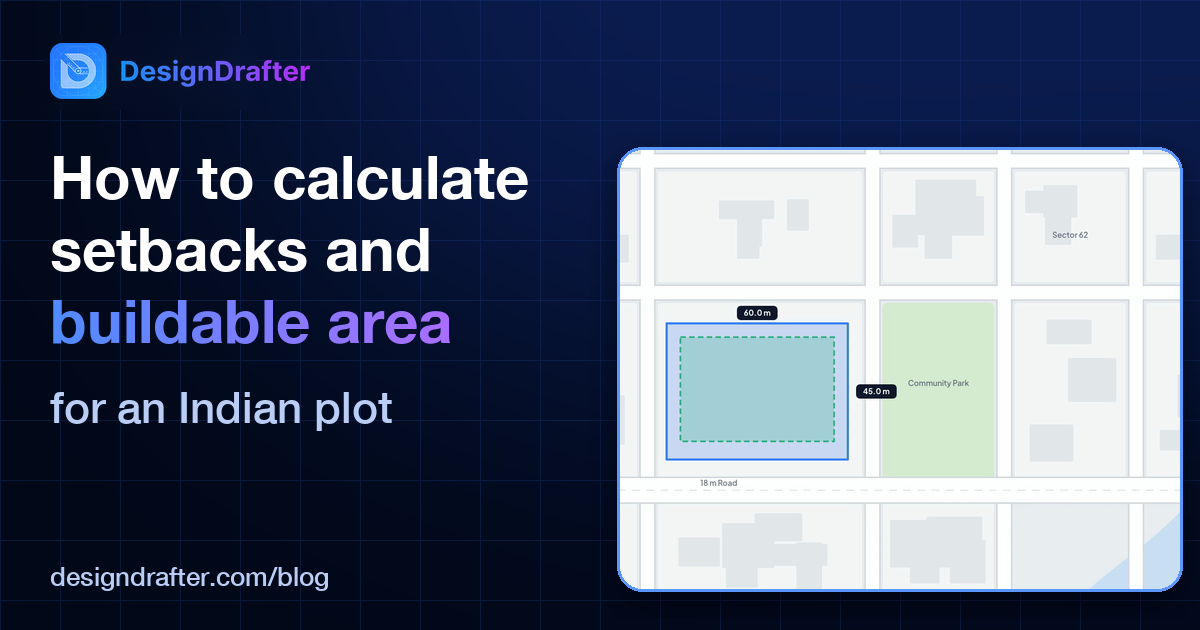
We'll use the same plot as in our Generate Layout walkthrough: a 60 m × 45 m residential plot (2,700 m²), with the 60 m side facing an 18 m road.
Illustrative rules for this example:
| Rule | Value |
|---|---|
| Front setback | 6.0 m |
| Side setbacks | 4.5 m each |
| Rear setback | 4.5 m |
| Ground coverage | 40% (assumed for this example) |
| FAR | 2.5 |
| Floor-to-floor height | 3.2 m (assumed) |
Step 2: setback footprint
Step 3: coverage limit
Step 4: FAR
Step 5: floors and height
At 19.2 m, the building is above 15 m. The National Building Code of India 2016 treats buildings 15 m or taller as high-rise, which brings extra fire and life-safety requirements. That's worth knowing before the first layout goes to the client, not after.
In DesignDrafter's Generate Layout module, the same calculation takes a few clicks:
From there, you can go straight into floor layouts on the same project. No redrawing.
Watch the DesignDrafter platform overview on YouTube to see the whole workflow.
See it on your own plot. Book your demo.
This article is general guidance, not a substitute for the bye-laws that apply to your site. Check the current regulations of your local authority before you finalise a design.
Founder
Manas Krishna is a Mechanical Engineer and infrastructure technology entrepreneur with 20+ years of experience in MEP (Mechanical, Electrical, and Plumbing) engineering, public health engineering, and transport infrastructure projects across India.

September 14, 2026

October 5, 2026
September 30, 2026